
Add the exact-option item quote and every applicable charge in one currency. Keep missing charges blank. Compare complete quotes using the same destination and service assumptions; the lower product-card price may not produce the lower total.
On this page · 10 sections
Does the spreadsheet price include shipping?
No. On this site, displayed source item prices exclude delivery and destination charges. They are observed listing prices, not complete order quotes. Confirm the current price of your exact option before adding the remaining costs.
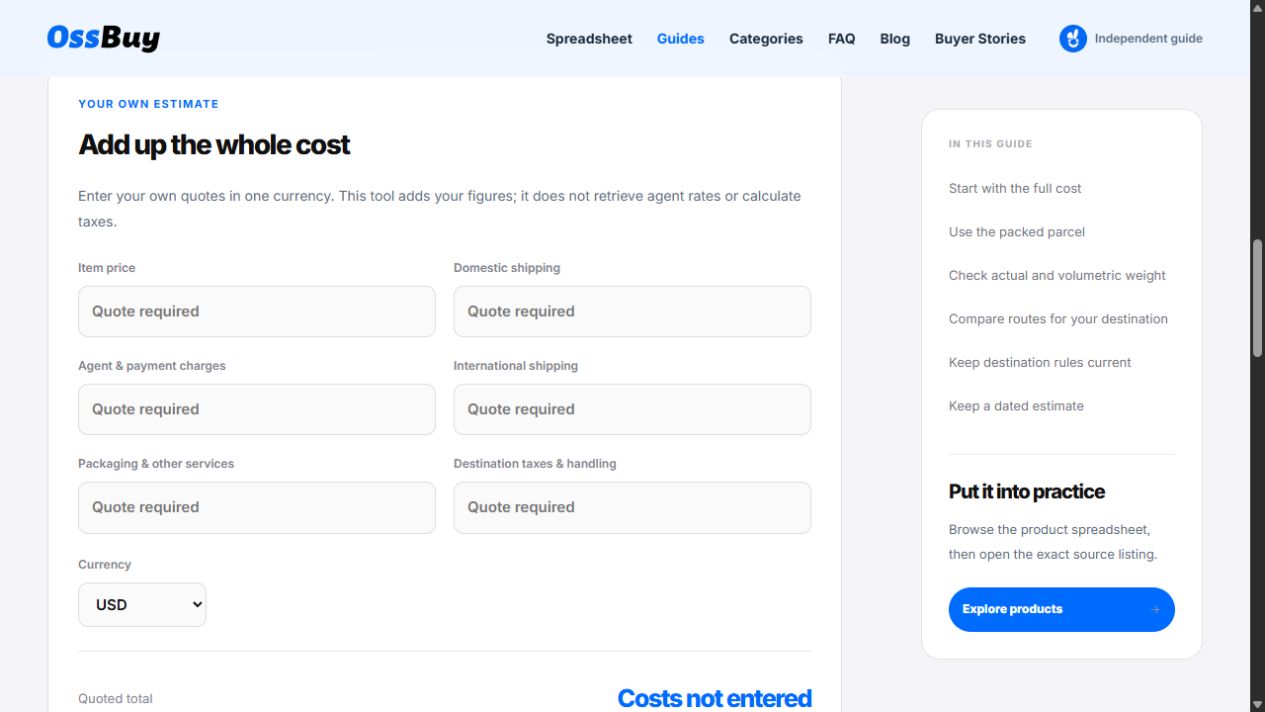
Start by recording a current item quote and its currency. Then gather the other charges for the same order. This walkthrough explains the cost calculator on this site. It does not supply shipping rates, exchange rates, tax calculations or destination-specific advice.
Collect six figures in one currency
| Field | What to enter |
|---|---|
| Item price | Your quote for the exact option and quantity you are estimating. |
| Domestic shipping | The quoted domestic delivery charge. |
| Agent & payment charges | Relevant quoted service and payment charges, counted once. |
| International shipping | The quote for the intended parcel, destination and service. |
| Packaging & other services | Applicable packaging or optional services you choose. |
| Destination taxes & handling | The applicable amount you have established for this order. |
If a quote combines several charges, keep track of which fields it already covers so you do not count them twice. If you cannot separate an included charge, note that limitation and obtain clarification before presenting a complete estimate.
Selecting USD, EUR or another label in the calculator does not convert figures. Convert and verify any mixed-currency quotes yourself first, using one consistent basis. Keep the conversion date and any payment charges in your notes.
Work through an example with every assumption visible
| Cost | Example amount |
|---|---|
| Item | 30.00 |
| Domestic shipping | 2.00 |
| Agent & payment charges | 3.00 |
| International shipping | 18.00 |
| Packaging & other services | 1.00 |
| Destination taxes & handling | 6.00 |
| Complete example sum | 60.00 |
These invented teaching figures show arithmetic only. They are not a price prediction for any item, parcel or country. In this example, the item is half of the summed costs. That relationship applies only to these numbers, not to orders generally.
If the international shipping and destination charges were still unknown, the known subtotal would be 36.00, not a delivered total. The remaining 24.00 belongs to this completed example; it must not be used to fill a real order’s missing quotes.
Compare two finds using a complete cost breakdown
| Charge | Scenario A | Scenario B |
|---|---|---|
| Item | 30.00 | 34.00 |
| Domestic shipping | 2.00 | 2.00 |
| Agent & payment | 3.00 | 3.00 |
| International shipping | 18.00 | 10.00 |
| Packaging | 1.00 | 1.00 |
| Destination charges | 6.00 | 6.00 |
| Quoted total | 60.00 | 56.00 |
Scenario B has a USD 4 higher item price but a USD 4 lower complete sum because its illustrative shipping quote is USD 8 lower. The decision here follows the numbers supplied; it is not a prediction that any particular product will be cheaper to ship.
If B’s shipping quote is missing, B’s known subtotal is USD 46.00 and the ranking is unresolved. At an international shipping charge of USD 14.00, B would match A’s USD 60.00 total, provided every other entry remained unchanged. That USD 14.00 is a break-even calculation for this example, not a shipping quote.
Keep item quantity and the quote’s parcel scope aligned. Comparing one item’s price with an entire multi-item parcel’s shipping charge can produce a misleading per-item figure. If you allocate a shared parcel charge to individual products, label the allocation method and keep the original parcel total visible.
Why do actual weight and volumetric weight matter?
Ask for the packed parcel’s weight and outside dimensions, not only an unpacked product’s weight. A carrier may use dimensional weight to account for the space occupied. The UPS dimensions and weight guide describes the distinction between actual, dimensional and billable weight. Use the actual route’s calculation and rounding rules when seeking a quote.
Divisor: 5,000 cm³/kg. Packed parcel: 40 × 30 × 25 cm, actual weight 2 kg.
Dimensional weight = 40 × 30 × 25 ÷ 5,000 = 6 kg.
If that hypothetical route bills the larger of actual and dimensional weight, the basis would be 6 kg before any route-specific rounding or minimums.
The divisor and comparison rule above are assumptions for arithmetic only. They are not universal carrier rules or an OSSBuy quote. A shipping service can also have other limits and charges; a computed weight does not establish an available service or its price.
Box removal or compression changes packaging and protection as well as dimensions. Ask for a revised packed quote and whether the method is suitable for your items. Do not assume every bulky item can be compressed or that removing packaging will always lower the final charge.
How do you avoid double-counting included fees?
| Quote situation | How to record it |
|---|---|
| Service charge already included in the item quote | Keep the inclusive amount once. Mark the relevant separate charge as included / no additional charge only after confirmation. |
| One payment charge covers the whole order | Do not add the full fee to every item and then again to the parcel total. State any allocation method. |
| Destination charge described only as “included” | Confirm what is included, what remains payable and the scope of that statement. Do not infer a tax determination from the wording alone. |
| Optional packaging not chosen yet | Ask for the chosen service’s amount and resulting parcel details; keep the estimate incomplete until resolved. |
The calculator adds six numeric fields and does not interpret a quote’s wording. If a confirmed bundled amount covers another field, use zero there to mean no additional separate charge, and record the inclusion in your notes. If you cannot tell what the bundle covers, keep the uncertain field blank and request clarification.
What should you include in a shipping quote request?
A parcel quote request
For [items and exact quantities], packed together for [destination and postal code], please confirm packed weight and dimensions, available service, quoted amount and currency, quote date / validity, payment or service charges, packaging charges, what destination costs are included or excluded, and any conditions that could change the amount.
Keep personal details in the appropriate private seller or agent channel. You do not need to publish an address in a shared spreadsheet or a buyer story. Save a redacted quote reference and the facts needed to compare the two candidates.
When a quote changes, change the relevant field and record the new quote date. Keep previous assumptions identifiable so you can explain why the estimate moved. A catalogue capture date belongs to the source record; it is not the date of your personal shipping quote.
Leave unknown charges blank
The calculator starts empty. As you enter quotes it shows a Known subtotal and identifies missing fields. A Quoted total appears only when all six cost fields contain valid amounts. Enter 0 only when you have confirmed that a charge is zero, including when a quote explicitly covers it elsewhere and you have avoided double counting.
Completing every field makes the arithmetic complete for your entries. It does not independently verify the quotes or guarantee a final checkout amount. Record exclusions and conditions alongside the estimate. Calculator entries clear on reload; use the comparison workspace for browser-saved notes and CSV export.
Before you treat an estimate as decision-ready
- The exact option, quantity, destination and service assumptions match across candidates.
- Every charge is either quoted, explicitly included elsewhere or still labelled unknown.
- All numeric entries use one currency and shared parcel costs are counted once.
- The quote date, exclusions and any validity conditions are recorded.
- The evidence for fit and the evidence for cost have been assessed separately.
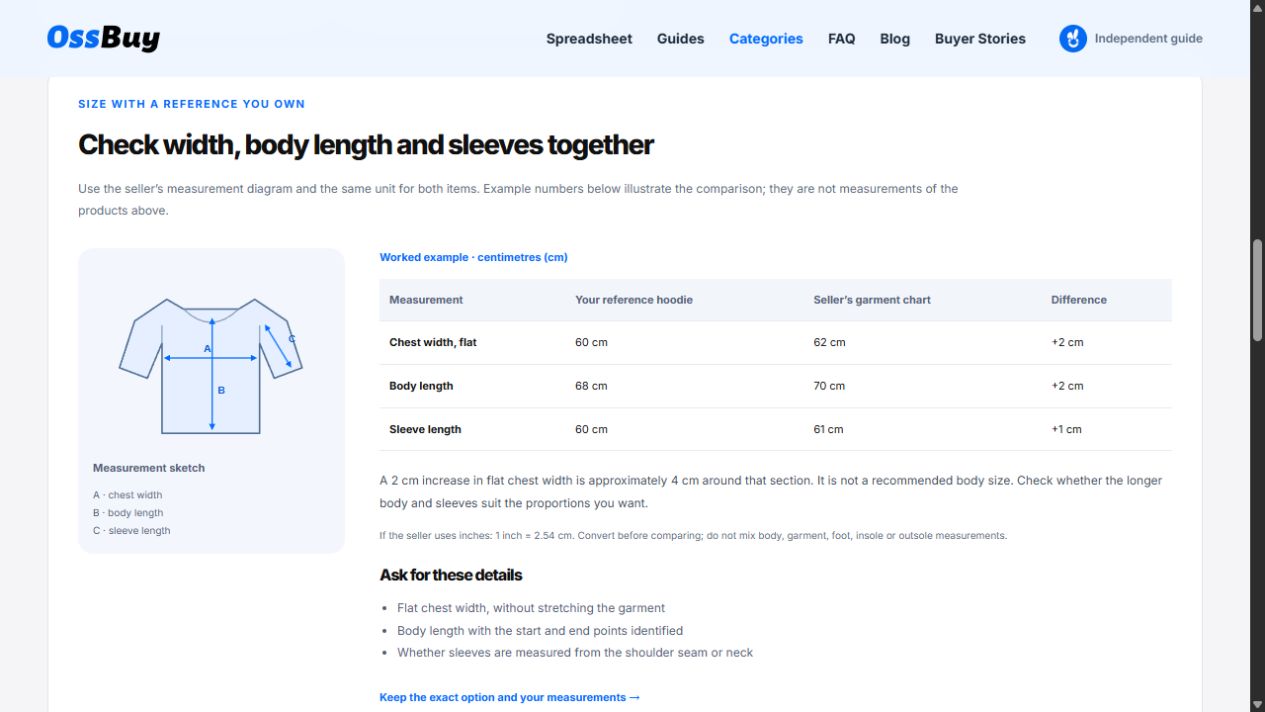
Use the comparison workspace to keep those notes, then return to the product spreadsheet only when you need more candidates. If the missing issue is sizing rather than cost, the hoodie measurement walkthrough gives a worked way to resolve it.
More questions about shopping cost estimates
How much is shipping for a $30 item?
The price alone is insufficient. You need parcel weight, dimensions, destination and a relevant service quote. The worked examples demonstrate addition, not a percentage-based shipping rule.
Is a complete quoted total guaranteed at checkout?
No. The calculator verifies arithmetic for your entries, not quote validity or final checkout terms. Keep exclusions, validity and any unresolved charges visible.
Can this calculator estimate import tax for my country?
It adds the amount you enter; it does not determine tax, customs treatment or exemptions. Leave an unknown amount blank and obtain current destination-specific information from the relevant official source.
Does the currency selector convert my figures?
No. It labels the output. Convert verified quotes to one currency before entering them and keep the date and any conversion or payment charges in your notes.
Sources & scope
- UPS: shipping dimensions and weight
Explains actual, dimensional and billable weight. Carrier rules vary; this is not evidence of an OSSBuy rate or an available route.
External references checked on 24 October 2026. Product capture dates are shown separately on their source cards.
Put it into practice
Open the cost calculator →Editorial note: this article documents this site’s tools, source records and labelled educational examples. It is not a buyer review or a report of product testing. See how this independent guide works.